Introduction
Imagor Studio is an open source, self-hosted image gallery with built-in editing. Self-host it on your own storage, stay close to the open source path, and keep control of your stack.
Browse thousands of images instantly with virtual scrolling. Edit with layered compositing and reusable templates. All transformations are URL-based and non-destructive.
Gallery
Browse and organize your image files with virtual scrolling, drag-and-drop management, folder navigation, and multi-select for bulk operations.
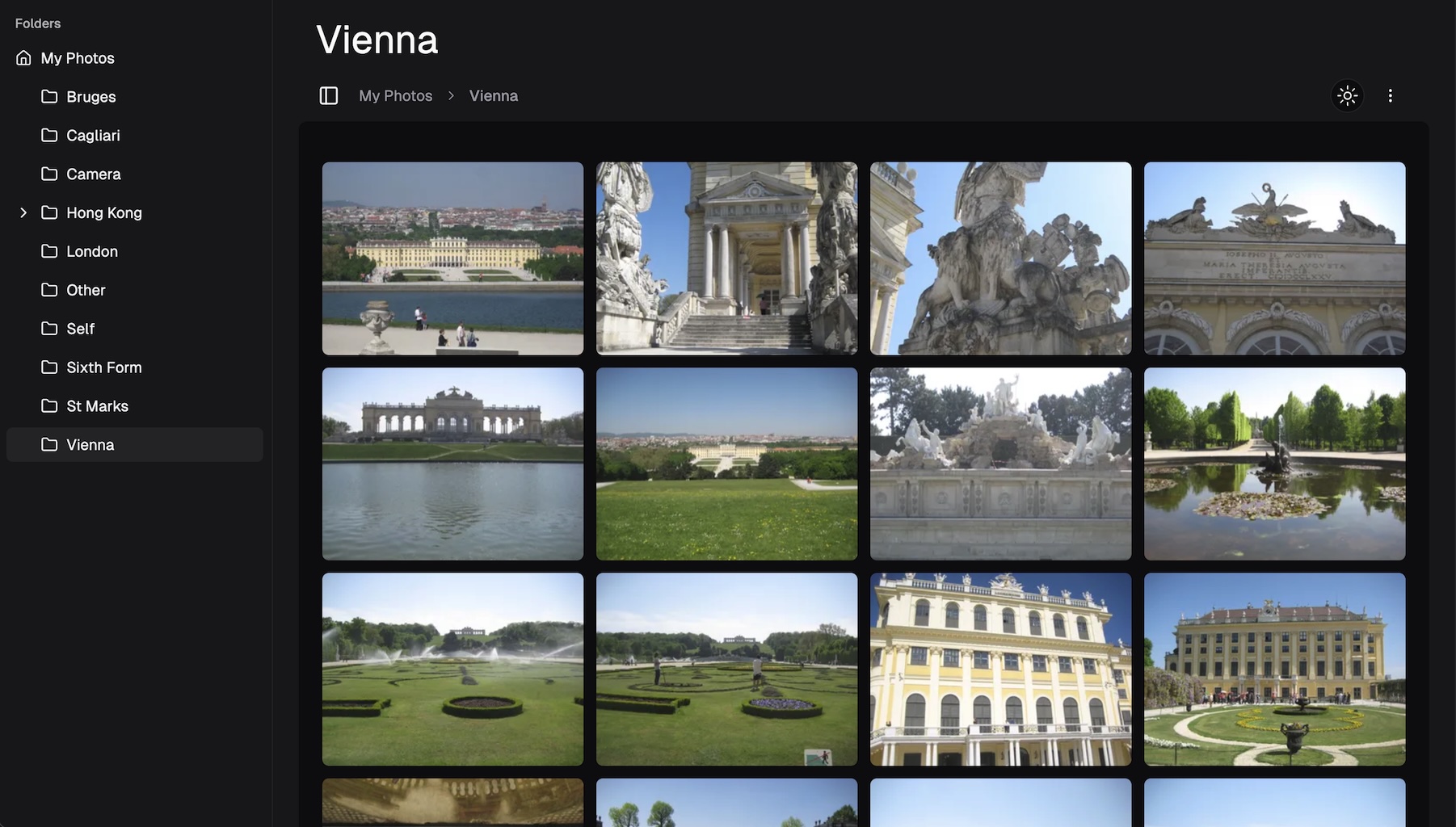
Image Editing
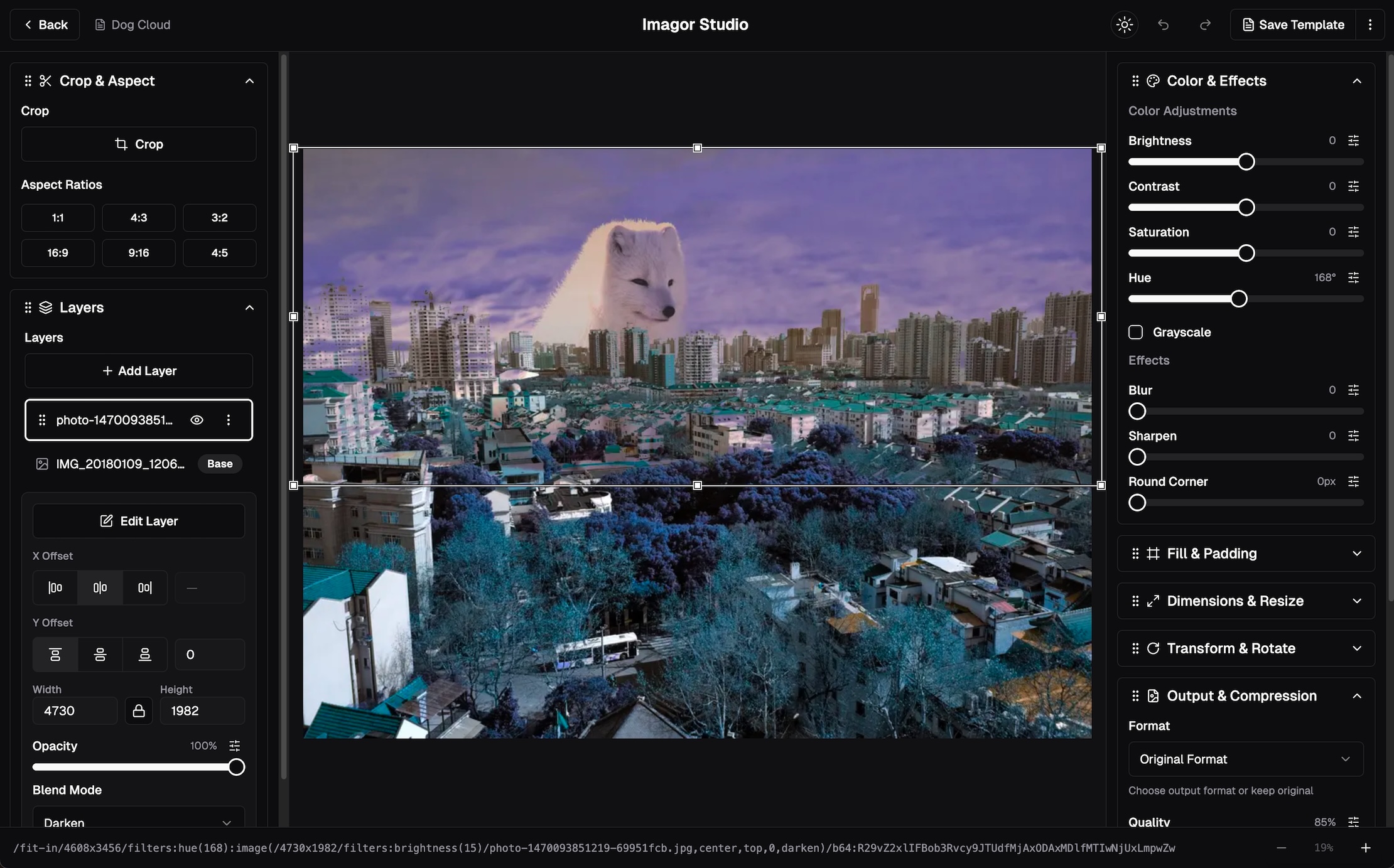
Image editing with preview, layered compositing, reusable templates, color adjustments, effects, and cropping. All transformations are URL-based.
Reusable Templates
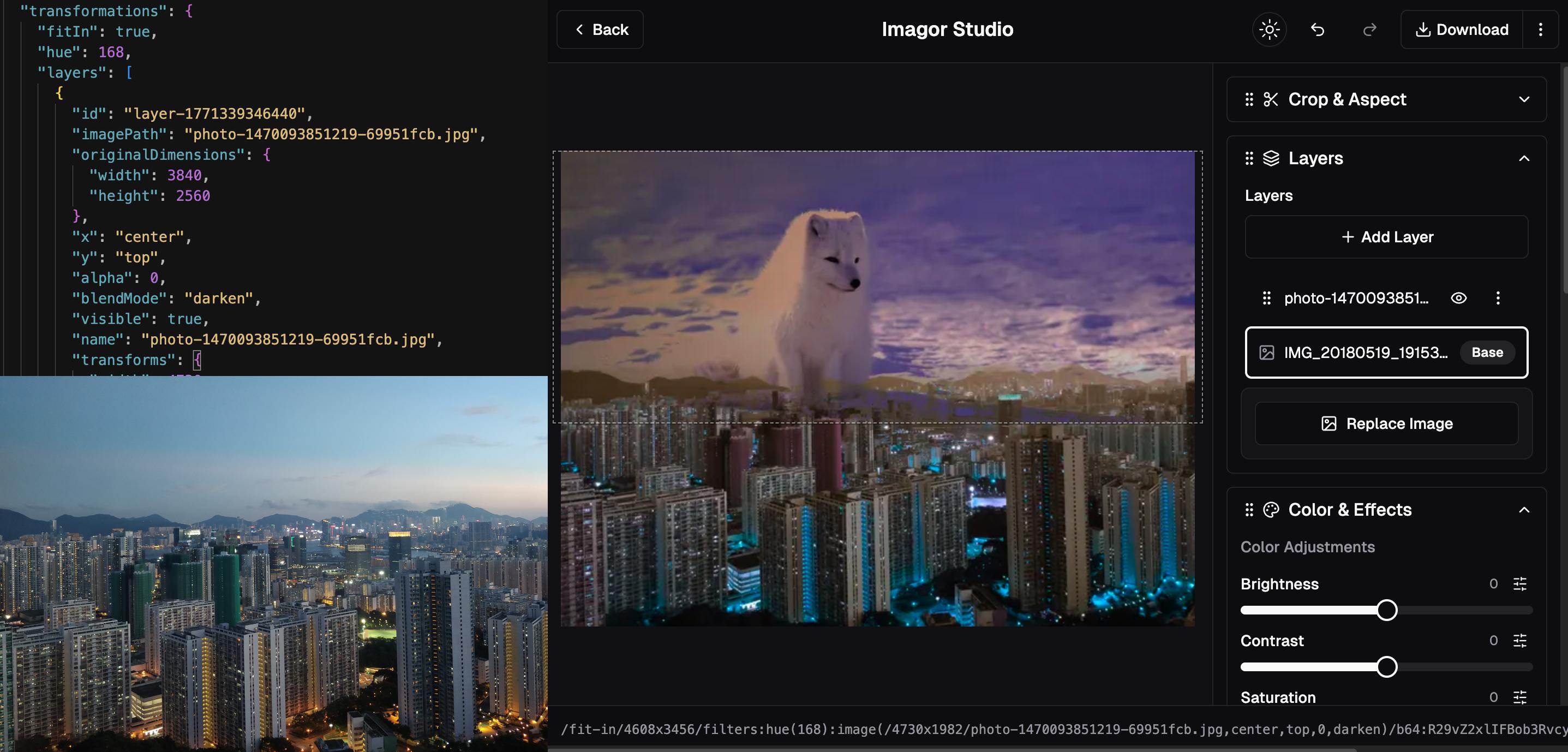
Save layered edits as reusable templates. Stored as portable JSON files, apply the same edits across your entire image library.
Key Features
- Self-hosted image management - Full control over your image library and data
- Virtual scrolling gallery - Browse thousands of images instantly with efficient rendering
- URL-based transformations - Non-destructive image processing powered by imagor and libvips
- Multi-layer compositing - Stack and composite multiple images with independent transformations
- Reusable templates - Save and reuse layered edits in open JSON format
- Universal storage support - Works with local filesystem, S3, MinIO, Cloudflare R2, and more
What Makes Imagor Studio Special?
We were serving millions of images but needed better tools for managing and editing them. When we looked at alternatives, they all wanted premium prices for basic features, or locked you into their cloud infrastructure.
So we built Imagor Studio - open source, self-hosted, and designed for people who want control over their images, editing, and storage.
Non-Destructive Editing
All image transformations are URL-based, meaning your original images remain untouched. Generate transformed versions on-the-fly without modifying source files.
Universal Storage Support
Works with local filesystems, S3-compatible storage, and more. Switch between storage backends without changing how you manage your images.
Built on imagor
Imagor Studio is powered by imagor, a fast and secure image processing server that provides URL-based image transformations. Imagor Studio extends imagor with a gallery interface and built-in editing, giving you the best of both worlds: imagor's powerful processing engine with an intuitive visual interface.
All image transformations benefit from imagor's high-performance architecture, comprehensive operation support, and proven reliability in production environments.
For the upstream image-processing reference, see the imagor documentation. For measured throughput and methodology, see imagor benchmarks.
Quick Links
- Quick Start Guide - Get up and running in minutes
- Configuration - Customize Imagor Studio for your needs
- Architecture - Understand how it works
- imagor Documentation - Upstream reference for URL syntax, filters, storage, and security
- imagor Benchmarks - Performance comparisons and benchmark methodology
- GitHub Repository - Source code and issues
Ready to get started? Head over to the Quick Start Guide!